From requisition to ranked shortlist — here's exactly how it works
A detailed walkthrough of every step in the Merit2Hire screening process.
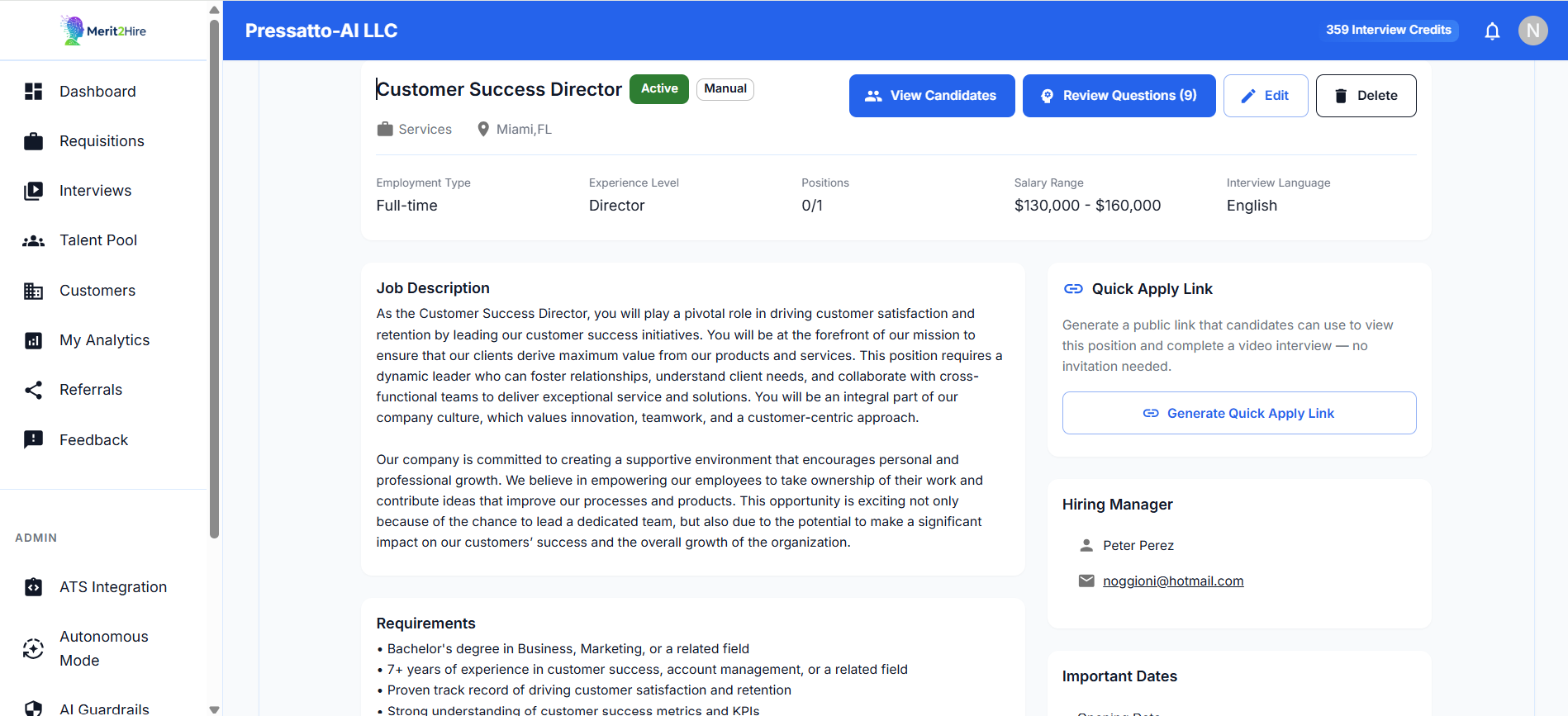
Import or create requisitions
Bring your job descriptions into Merit2Hire from multiple sources. The system tracks source and status for every requisition.
- ATS import (Greenhouse, Lever, Workday, SAP)
- Manual creation with guided form
- PDF upload with AI parsing
- Batch ingestion for high-volume hiring
AI generates interview questions
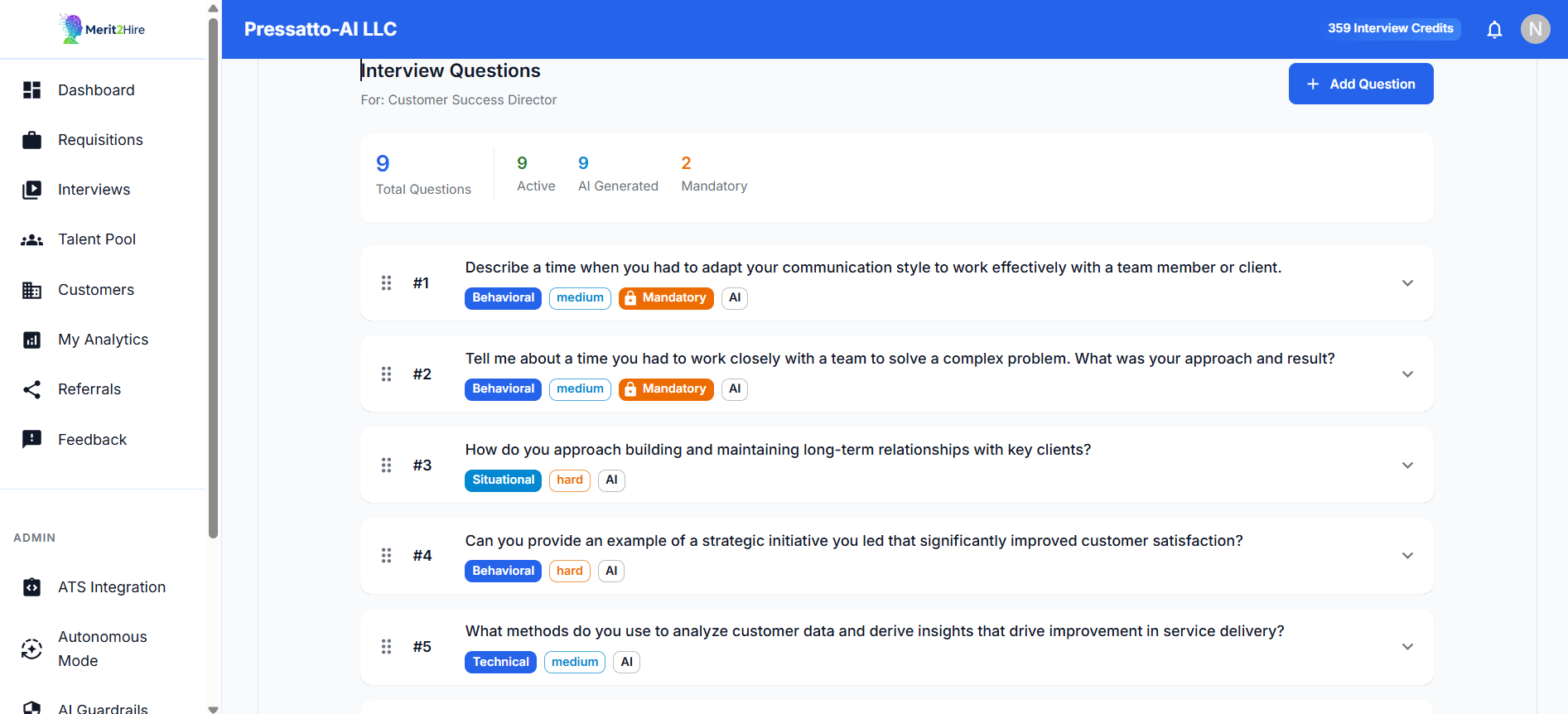
AI parses the job description and generates 8–10 tailored questions. Each comes with scoring rubrics and ideal answer frameworks.
- Role-specific question generation from JD
- Scoring rubrics auto-created for each question
- Recruiters can edit, delete, add, lock, or reorder
- Question bank grows with usage
Candidate-specific question selection
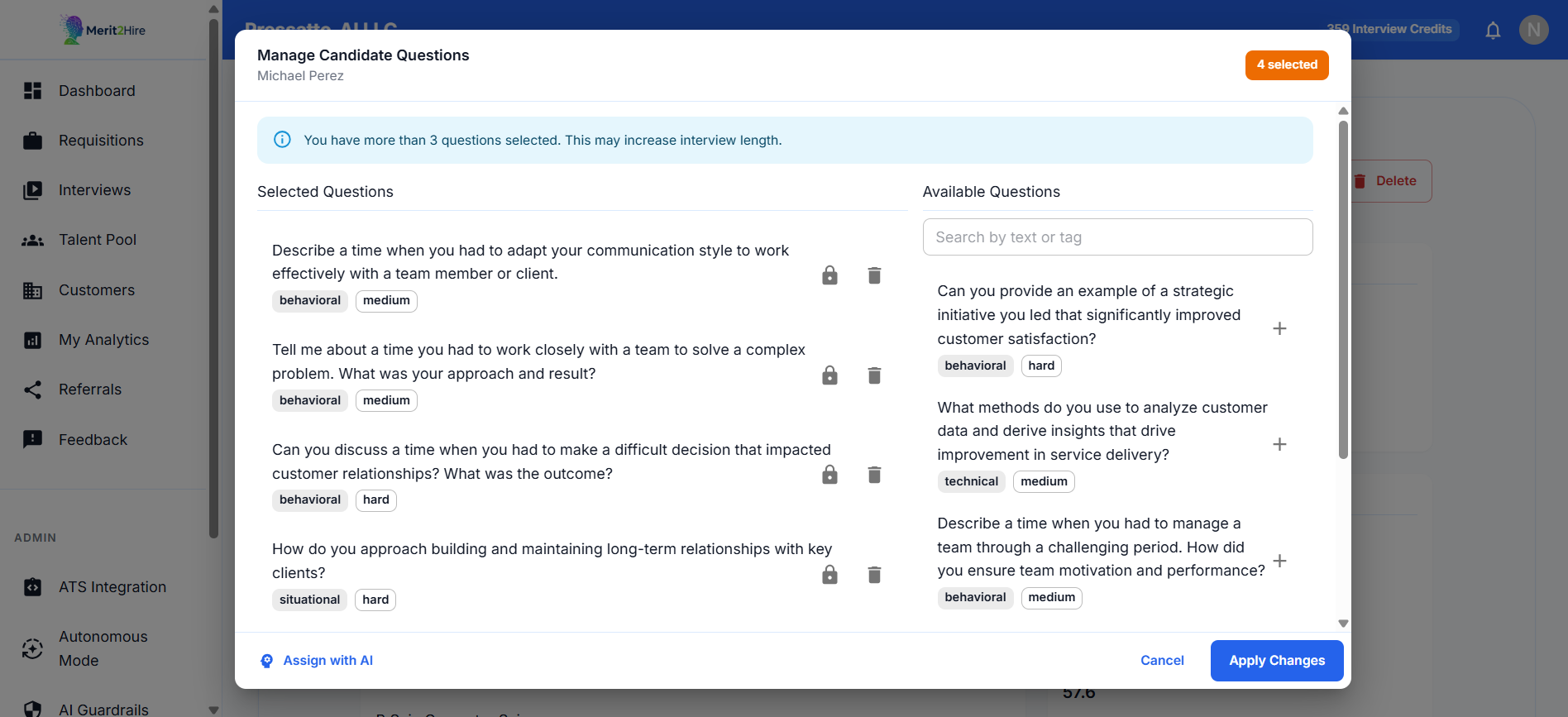
AI analyzes each candidate's resume against the question set and selects the 3–5 most relevant questions per candidate. No generic interviews — every candidate gets a personalized assessment.
- Resume-to-question matching
- 3–5 most relevant questions per candidate
- Eliminates generic, one-size-fits-all interviews
- Focuses on areas where the candidate needs validation
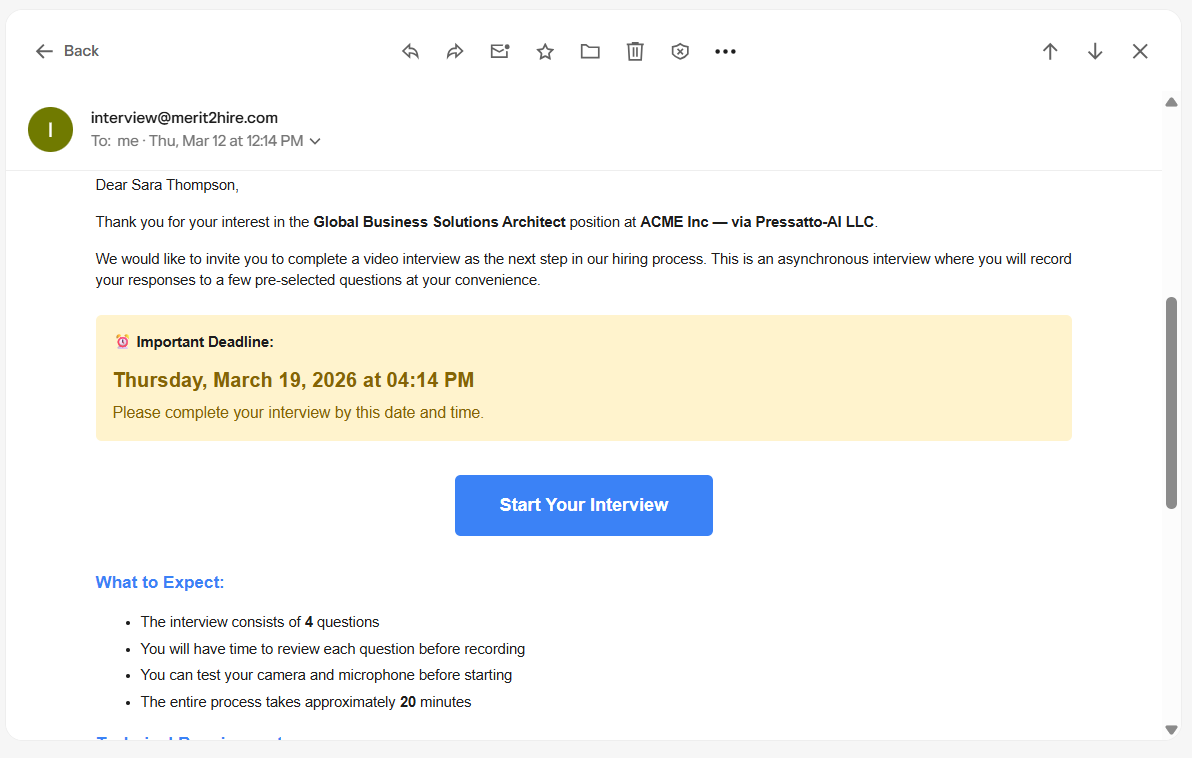
Branded interview invitations
Personalized HTML invitations with secure access links and deadlines. Automatic reminders at 48 and 12 hours keep completion rates high.
- Co-branded for agency tenants (3 branding modes)
- Personalized HTML emails with secure links
- Automatic reminders at 48h and 12h
- Credit deducted on completion — not on send
Candidate records responses
A responsive, WCAG-compliant interface works on any device. Candidates get clear instructions, built-in device testing, and short focused sessions.
- Works on any device — no app to download
- Built-in camera/mic testing
- One question at a time, 3–5 questions total
- Record on their own schedule
Dual-agent AI evaluation
Two specialized AI agents evaluate every response independently, then merge into a composite score. Average turnaround: under 10 minutes.
Scoring Agent
Evaluates transcript content against rubrics. Measures knowledge depth, relevance, and technical accuracy.
Behavioral Agent
Analyzes tone, clarity, confidence, and communication structure from the video recording.
Final Rater
Merges both outputs into a weighted composite score. Consistent across every candidate.
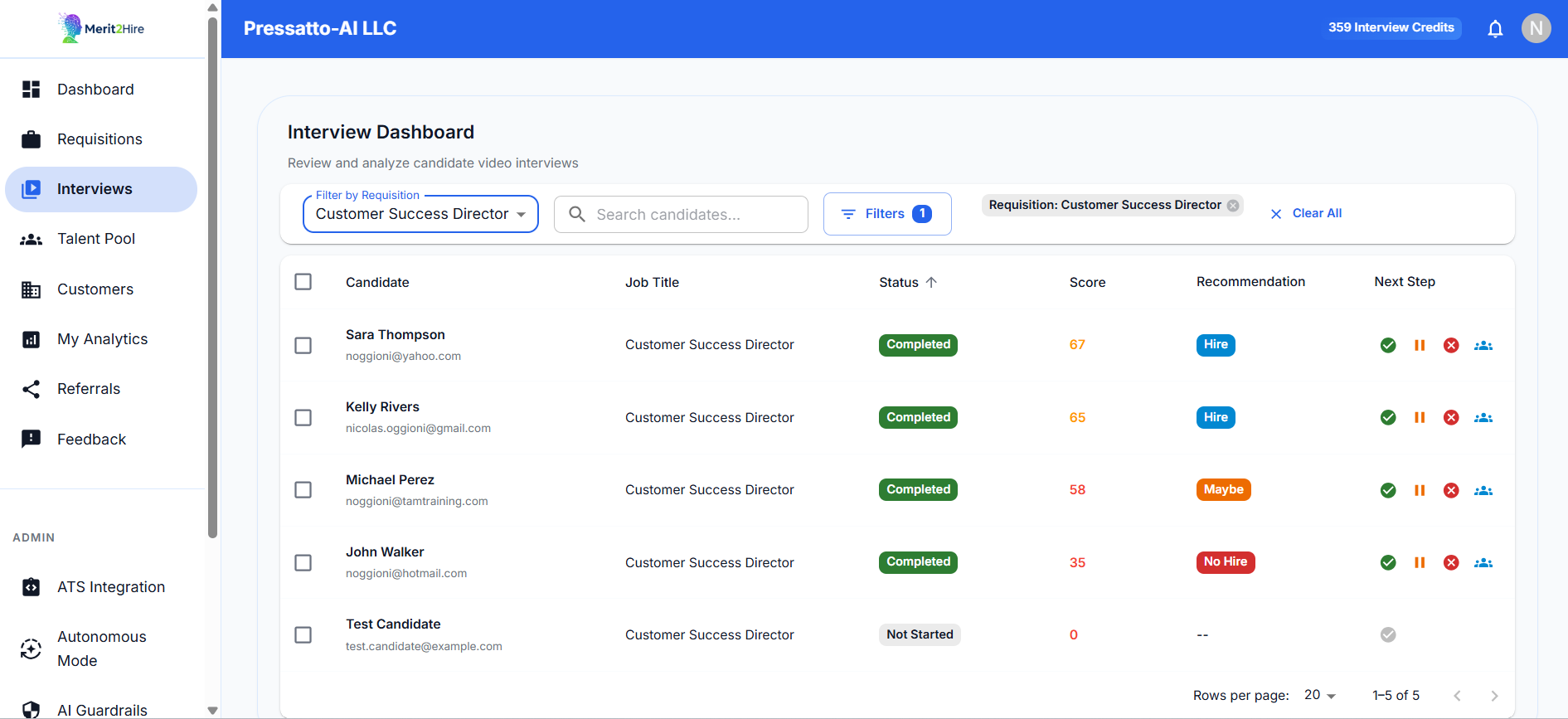
Recruiter dashboard
Everything your team needs to make fast, confident decisions — all in one view.
- Timeline navigation and searchable transcripts
- AI scores per question and overall
- Side-by-side candidate comparison
- Manual score override with audit trail
- One-click decisions: Advance, Hold, Reject, Add to Pool
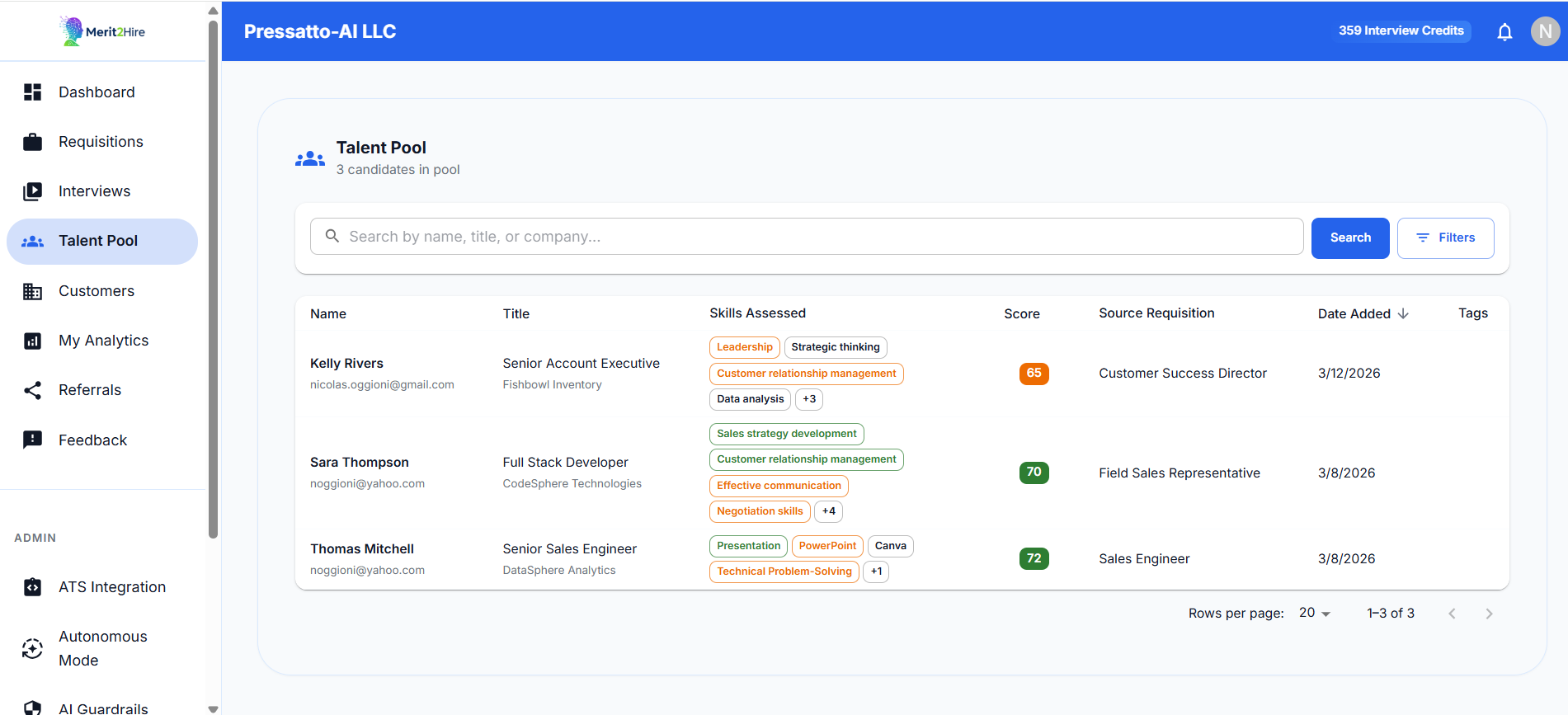
Talent Pool
Save top candidates for future requisitions. When a new role opens, AI ranks pool candidates by skill match against the new JD.
- Persistent candidate pool across all requisitions
- Skill matching ranks candidates against new JDs
- One-click attachment creates a fresh evaluation
- AI generates new questions for the new role
Works with your existing stack
Bi-directional sync: requisitions in, decisions out.
Greenhouse
Import requisitions, sync candidate statuses, push decisions back.
Lever
Bi-directional sync with Lever's candidate pipeline.
Workday & SAP
Enterprise-grade integration with Workday and SAP SuccessFactors.
Ready to see the full workflow in action?
Book a 20-minute demo — we'll use your actual job description.